Site Activity Tracking Ends Reconciliation for Truck & Civil Teams
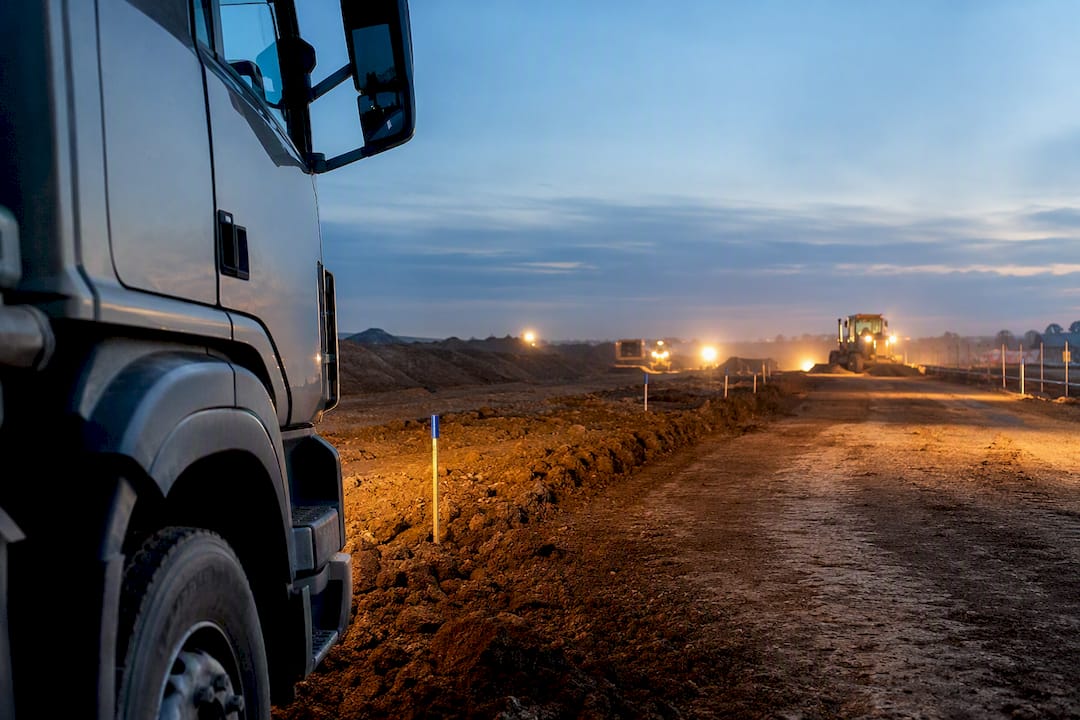
Site activity tracking gives you a live, timestamped record of where every truck and machine is, what work happened and when, and who did it. Done properly, it means faster billing, fewer disputes, and maintenance triggered before a breakdown costs you a shift. For truck and civil operators, the outcome that matters is one organised system feeding both the field and the office, rather than a stack of paper dockets and a separate GPS app.
TL;DR:
- GPS accuracy and offline capability are critical for tracking reliability in remote sites, where signal loss is common.
- Systems must integrate seamlessly with accounting and project management tools to turn field data into invoice-ready records automatically.
- Standardizing site names and geofence boundaries before rollout prevents reconciliation issues and reduces administrative workload.
- Combining GPS, engine diagnostics, and operator logs provides meaningful data on idle time, utilization, and faults to optimize operations.
- Limiting to one comprehensive platform avoids multiple disjointed apps, reducing manual reconciliation and simplifying data management.
Table of Contents
- What does good site activity tracking actually deliver?
- What to track: the data points that actually matter
- How to choose and roll out a tracking system
- From field records to finished invoices and audits
- Why single-source systems win on real projects
- What technologies actually power site activity tracking?
- Reading the data: from a location ping to a decision
- Will it grow with your fleet, and can you shape it to your operation?
- The implementation problems nobody warns you about
- How do you keep tracking data private and secure?
- What I’d actually do in the first 90 days
- Getting your field data working for you, not against you
- Sources
What does good site activity tracking actually deliver?
The measurable win is time. Idle time alone can eat 30 to 40% of a machine’s productive hours, which on a mid-sized fleet translates directly into fuel burned for nothing and jobs that run slower than they should. Telematics that pair GPS with engine diagnostics gives you the visibility to spot that waste and act on it, rather than guessing from fuel receipts at month’s end.
Billing speeds up too. When a docket carries a GPS-confirmed location and a timestamp, there’s no argument about whether a truck was on site or how many loads it tipped. Disputes that used to take a week of phone calls get settled with a screenshot.
Site activity tracking typically delivers:
- Lower idle time and fuel waste, because managers can see which machines sit running unnecessarily and correct it fast
- Faster billing cycles, since timestamped GPS-backed dockets remove the “he said, she said” from invoice disputes
- Fewer unplanned breakdowns, because engine hours and fault codes flag problems before they become downtime
- Cleaner audit trails for safety and compliance, with every inspection and incident logged against a time and place
Pro Tip: If you only fix one thing this quarter, fix idle time. It’s the easiest number to prove and the fastest way to show a return on any tracking system you introduce.
Compliance benefits stack on top of the financial ones. Integrated platforms that let crews log permits, inspections and incidents from a phone keep safety documentation audit-ready without a separate paper trail running alongside the digital one. When an auditor or insurer asks for evidence, you’re pulling a report, not hunting through a filing cabinet.
What to track: the data points that actually matter
Not every data point is worth collecting. The ones below are the ones that change a billing outcome, a maintenance decision, or a compliance answer.
- GPS location and geofence events. Entry and exit timestamps tied to a defined site ID confirm exactly when a truck or machine arrived and left, which settles more billing disputes than any other single record.
- Engine hours, fault codes and idle time. Telematics that read the engine’s diagnostic data catch problems earlier than GPS-only tracking, giving your workshop a lead time that ordinary odometer checks can’t.
- Digital dockets, tipping records and pre-start checks. A docket with a photo attached and a timestamp does more for a disputed invoice than a written note ever could, and pre-starts logged this way double as your daily compliance record.
- Operator identity and job or task codes. Every record needs context. Knowing who was driving and what job code the work sat against turns a location ping into something billable and something you can defend later.
Geofencing also earns its place as a security tool, not just an operational one. GPS logs give you last known coordinates if equipment goes missing, and alerts trigger the moment a machine crosses an unauthorised boundary, which matters more than most fleet owners expect until the first theft happens.
How to choose and roll out a tracking system
Picking a system comes down to five practical questions, and most vendor conversations skip at least two of them.
- How accurate is the GPS, and does it work without signal? Remote sites lose coverage. If the system can’t cache data and sync later, your crews will fall back to paper, and you’ve lost the single source of truth you paid for.
- Is it simple enough for an operator to use in under a minute? A pre-start that takes five minutes to fill in gets skipped or rushed. Look for something built for a driver’s cab, not an office desk.
- Does it integrate with your accounting and project systems? Location and docket data is only valuable once it reaches invoices and job budgets without someone re-typing it.
- What reporting comes standard? You want dashboards that flag out-of-bounds equipment and overdue maintenance without you having to build the report yourself.
- Who owns the data, and what’s the retention period? Ask this before you sign, not after a dispute lands on your desk twelve months in.
Rollout works best as a pilot, not a big-bang switch. Pick one site and a small set of assets, standardise your site names and geofence boundaries before you start, train operators on the basics, then connect it to your accounts system once the pilot proves out. Skipping the naming standardisation step is the single biggest cause of reconciliation headaches later, because a site logged three different ways in the first month means three different records to untangle in the twelfth.
Pro Tip: Ask any vendor demo to show you offline mode working, not just describe it. A system that only works with full signal isn’t built for a real jobsite.
Watch for the red flags too: if the answer to “how does GPS talk to your invoicing” is “we export a spreadsheet and someone matches it up,” you’re looking at manual reconciliation wearing a digital disguise. Multiple disjointed apps, one for tracking and another for dockets and a third for compliance, create exactly the same admin burden you’re trying to escape.
From field records to finished invoices and audits
The value of tracked data depends entirely on where it ends up. A GPS ping or a completed docket sitting inside one app, disconnected from your accounts system, is barely better than the paper it replaced.
A single source of truth changes that. Field entries sync automatically to job budgets and invoices, so a completed docket becomes billing evidence the moment it’s submitted, not after someone manually re-enters it in the office. Fleet and site platforms commonly integrate with accounting and project management tools for exactly this reason, turning location logs and equipment hours into invoice-ready line items without double handling.
What that integration should produce automatically:
- Invoice-ready dockets with timestamps and photos attached, ready to send without a manual review step
- Maintenance work orders triggered by engine-hour thresholds, before a fault becomes a breakdown
- Out-of-bounds alerts the moment a geofence is breached, sent straight to the person who needs to act
- Audit trails that satisfy retention requirements for safety and compliance reviews
Retention matters more than most operators think about until they need it. An audit trail that shows exactly who inspected what, and when, is what turns a compliance review from a scramble into a five-minute report pull. Firms handling document control alongside daily operations often build these habits early, and it’s worth reviewing how construction document control practices structure that discipline if you’re setting up your own retention policy from scratch.
Why single-source systems win on real projects
The most common mistake in site activity tracking isn’t choosing the wrong app. It’s choosing four of them. A GPS tracker for the trucks, a separate docket app for tipping records, a compliance tool for inspections, and a spreadsheet stitching it all together for invoicing. Each tool works fine alone. Together, they create hours of manual reconciliation every week, because nothing talks to anything else.
The practical fix isn’t more software, it’s fewer platforms. When pre-starts and tipped-load dockets link automatically to office records, the reconciliation work that used to take hours simply disappears, because there was never a second version of the truth to check against the first.
Governance matters as much as the software. Standardise site IDs and naming conventions before you roll out anything, because small inconsistencies compound into real reconciliation work within a few months. Some truck and civil operations report exactly this pattern: the win isn’t a fancier dashboard, it’s not having to reconcile five sources into one before an invoice can go out.
What technologies actually power site activity tracking?
Different tracking jobs call for different technology, and mixing them up is where a lot of buying decisions go wrong.
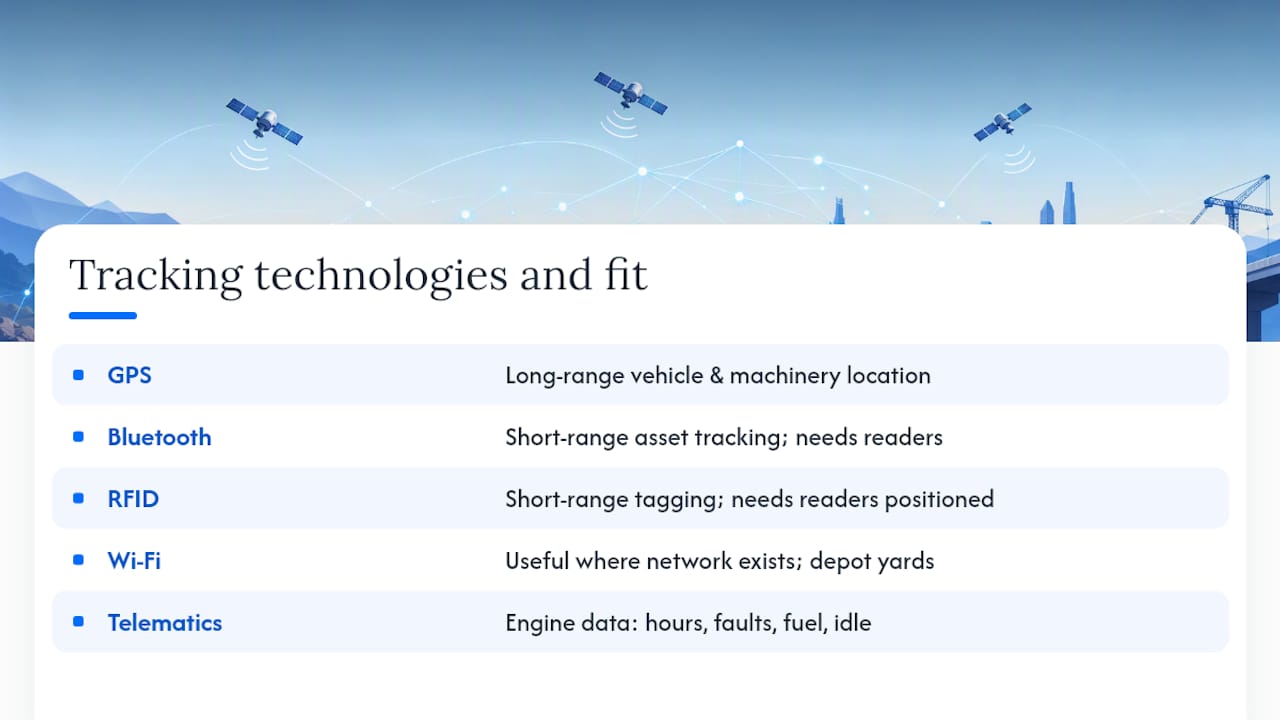
GPS remains the backbone for vehicle and machinery location, because it works across open sites and long hauls where other signals drop out. It’s the right choice for the core question of “where is this truck right now.”
Bluetooth and RFID suit shorter-range, asset-level tracking, tagging tools, small plant, or materials as they move through a laydown yard or between sites. They’re cheap to deploy but need readers positioned where the tagged item actually passes, which limits them on sprawling civil sites.
Wi-Fi based tracking works best where you already have network coverage, useful for depot yards and fixed compounds, less useful for a highway upgrade stretching across kilometres of open ground.
Sensor-based telematics, reading data straight from the engine’s diagnostic port, gives you the deepest operational picture: hours run, fault codes, fuel use, idle time. This is where the real maintenance and efficiency gains live, because it tells you what the machine is doing, not just where it is.
Most truck and civil operations get the best result from GPS and engine telematics as the primary layer, adding Bluetooth or RFID only where asset-level tracking of tools and small plant justifies the extra hardware. Chasing every technology at once usually just multiplies your integration headaches.
Reading the data: from a location ping to a decision
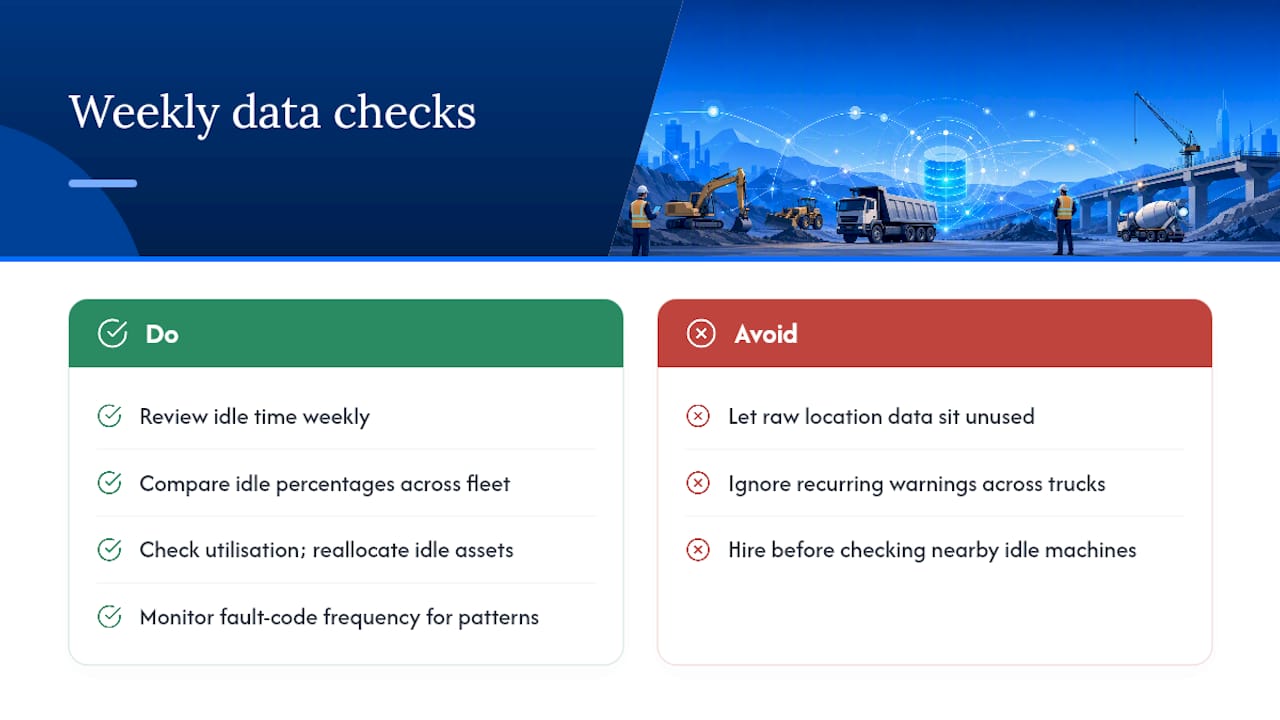
Raw location and docket data is worthless sitting in a dashboard nobody checks. The value comes from three questions asked regularly: where is time being lost, where is money leaking, and where is risk building up.
Idle time is the fastest place to start. If a report shows a machine running for two hours without moving, that’s diesel burned for nothing. Comparing idle percentages across a fleet quickly shows which sites or which operators need a conversation.
Utilisation data answers a different question: which machines are actually earning their place on the fleet list. Location history can uncover ghost assets, equipment sitting unused at a yard while a similar machine gets hired in for another job. Reallocating that machine instead of hiring one saves real money, and utilisation figures also sharpen your next bid, because you’re pricing off actual operating costs rather than a guess.
Fault code frequency is the third signal worth a regular look. A pattern of the same warning across multiple trucks points to a systemic issue, a batch of parts, a driver habit, an overloading problem, that a single vehicle’s history would never reveal on its own.
None of this needs to be complicated. A weekly ten-minute review of idle time, utilisation, and fault trends catches most of the operational drift before it becomes a real cost.
Will it grow with your fleet, and can you shape it to your operation?
A system that suits three trucks rarely suits thirty without some rethinking, and that’s a fair question to put to any vendor before you commit.
Scalability shows up in a few practical places: can you add sites without rebuilding your geofence setup from scratch, can new users be added without a support ticket, and does reporting stay useful when your data volume goes from a handful of dockets a day to hundreds. A platform that handles a single site cleanly should handle twenty without forcing you into a different pricing tier or a clunkier interface.
Customisation matters just as much as scale. Every business names its jobs, sites and cost codes differently, and a rigid system that forces you into someone else’s structure creates exactly the kind of naming inconsistency that causes reconciliation trouble later. Look for a platform that lets you set your own site IDs, job codes and reporting fields rather than one that only offers a fixed template.
The safest test is to ask what changes when you go from one site to five. If the answer involves new hardware, a support call for every geofence, or manual data exports because reporting doesn’t scale, you’re looking at a system built for a smaller business than the one you’re planning to run.
The implementation problems nobody warns you about
Most site activity tracking rollouts hit the same three snags, and knowing them in advance saves a lot of frustration.
Operator resistance is the first. Drivers and machine operators who’ve done paper dockets for twenty years don’t automatically trust an app, especially if the first version they see is clunky. The fix is training that happens on-site, in the cab, not in a classroom, plus a system genuinely quick enough that skipping it feels like more effort than using it.
Patchy connectivity is the second, and it’s the one that quietly kills adoption. Remote civil sites lose signal constantly, and a system that can’t cache entries offline and sync once coverage returns forces crews straight back to paper the first week they hit a dead zone.
Inconsistent naming is the third, and it’s entirely avoidable. If three supervisors set up the same site under three slightly different names, every report from that point onward needs manual cleanup. Document your naming conventions before rollout, not after the first messy invoicing month.
The common thread across all three is that the technology usually isn’t the problem. Preparation is. A short pilot, clear governance rules, and training that happens where the work actually happens solve most of what derails a rollout.
How do you keep tracking data private and secure?
Site activity data includes location history, operator identity and business-sensitive job information, and that combination deserves a proper security posture, not an afterthought.
Start with access control. Not everyone in the business needs to see every truck’s location history, so permissions should be role-based, office staff see what billing needs, workshop staff see maintenance data, and only a small group sees the full picture across sites.
Retention policy matters just as much as access. Keep records long enough to satisfy compliance and dispute-resolution needs, then have a clear policy for archiving or deleting older data rather than letting it accumulate indefinitely with no plan.
Ask any vendor directly who owns the data your business generates, whether it can be exported if you switch systems, and how it’s encrypted both in transit and at rest. A vendor who can’t answer those three questions plainly is one worth reconsidering, regardless of how good the dashboard looks in a demo.
What I’d actually do in the first 90 days
Ignore the dashboard demos for a minute and focus on three numbers: daily admin hours, idle time percentage, and the share of invoices going out with a timestamped docket attached. Track those weekly from day one of a pilot, on one site, with a small set of assets.
By day 30, you should see admin hours dropping as dockets stop needing manual re-entry. By day 60, idle time should be visibly down if anyone’s acting on the reports. By day 90, most invoices should carry proper GPS-backed evidence, and that’s the point where the naming conventions and governance rules you set at the start either pay off or come back to bite you. Set them properly the first time.
— Mike
Getting your field data working for you, not against you
This approach is built around the checklist that matters most here: one platform instead of four, GPS tracking without a complicated install, and digital dockets that sync straight from the truck cab to the office ledger. If the problems you’ve just read about, reconciliation hours, inconsistent site names, dockets that don’t match invoices, sound familiar, that’s precisely a gap closed by specialised software designed for truck and civil businesses.
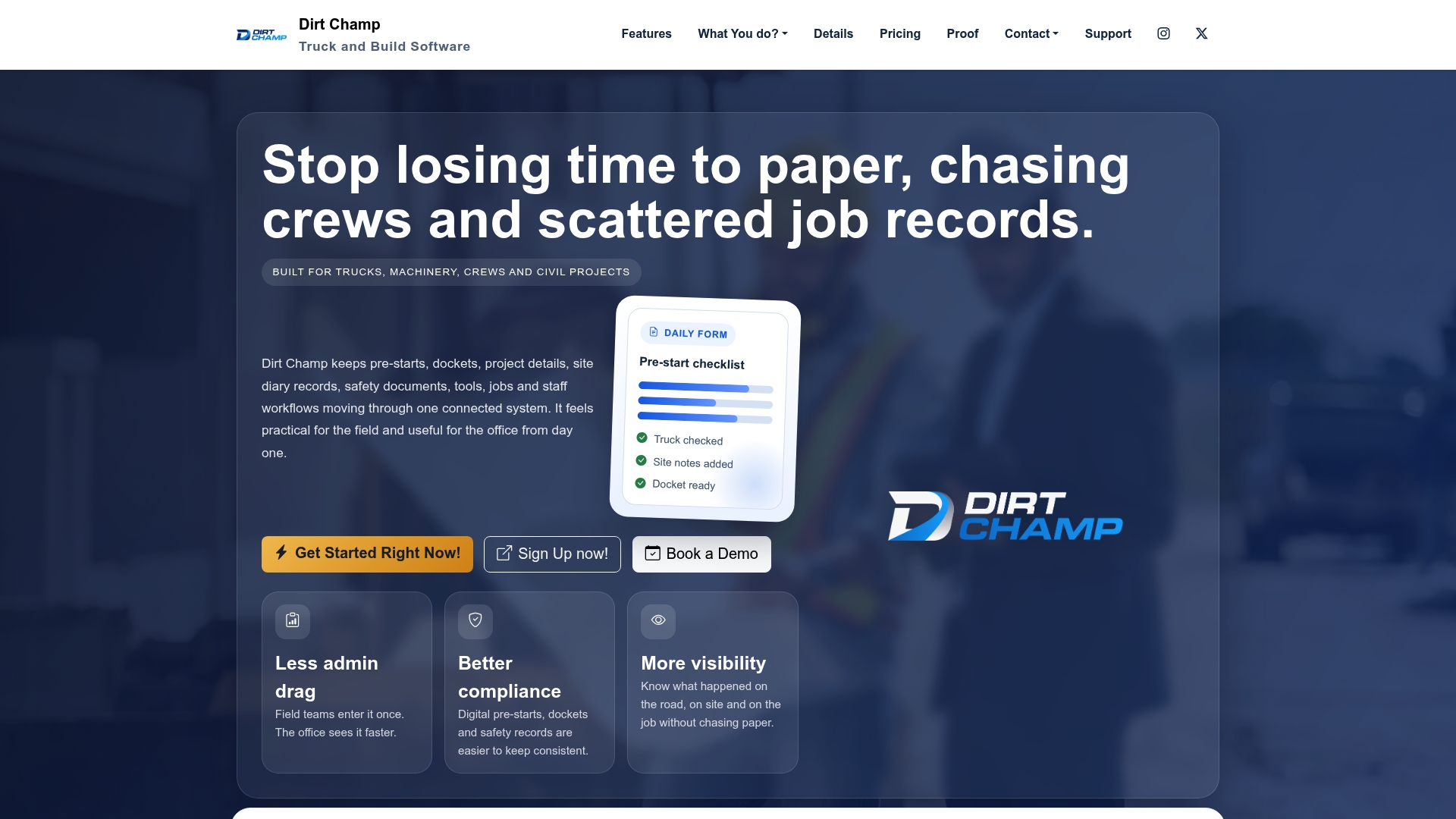
A demo walks through site names and trucks, and how a pre-start or docket flows from the field into a billable record without anyone re-typing it. A pilot on one site is the fastest way to see the admin hours drop before you commit fleet-wide. If you’re ready to see what a single source of truth looks like for your operation, book a demo with specialised truck and civil software and bring your worst reconciliation story. There’s a good chance it’s exactly the problem this was built to fix.